

- Insufficient resources can cause slow inference, out-of-memory errors, or failed deployments.
- Excess resources increase cost without improving performance.
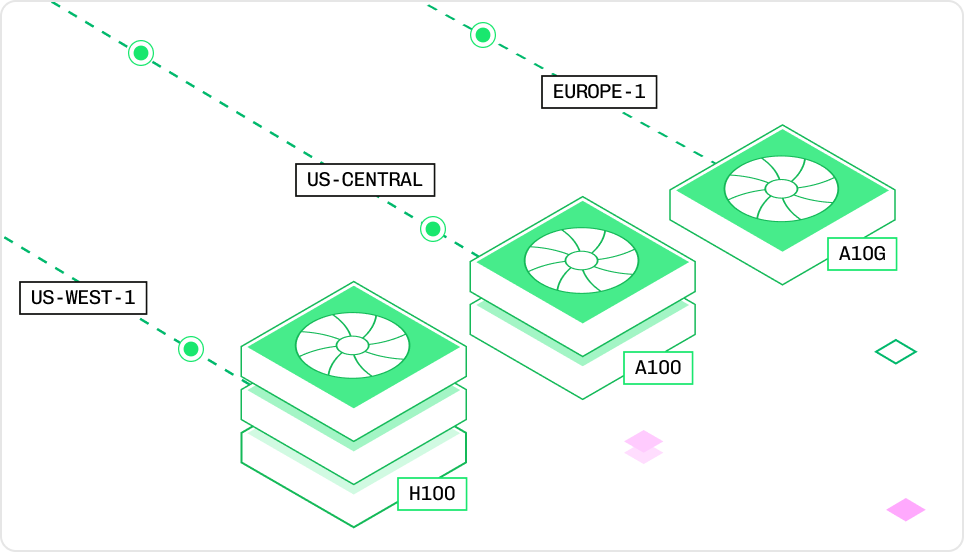
Instance type resource components
- Instance: The hardware allocated to an inference replica.
- Node: A compute server that provides the instance’s CPU, RAM, GPUs, and VRAM.
- vCPU: Virtual CPU cores for general computation.
- RAM: Memory available to the CPU.
- GPU: Hardware for accelerated model execution.
- VRAM: Memory available to the GPU.
Configure model resources
Define resources inconfig.yaml before deployment, or update a published deployment through the Baseten dashboard.
Define resources in Truss
Define resource requirements inconfig.yaml before running baseten model push. The push creates one of two deployment types:
- Published deployment:
baseten model pushcreates a published deployment with the resources inconfig.yaml. - Development deployment:
baseten model push --watchreplaces the development deployment with the specified resources and watches for changes. Usebaseten model watchto resume watching it.
baseten model push --environment <name>. To promote an existing deployment to production, use baseten model deployment promote. The Truss CLI combines both steps in truss push --promote.
Changes to
config.yaml only affect new deployments. To update resources on an existing published deployment, edit resources in the Baseten dashboard.Individual resource fields
config.yaml
cpu: "3"orcpu: "4"maps to a 4-core instance.- Values from
cpu: "5"throughcpu: "8"map to an 8-core instance.
Gi in resources.memory means gibibytes rather than gigabytes.Exact instance type
An instance type is the SKU for a specific hardware configuration. When you set individual fields such ascpu and accelerator, Baseten selects the smallest matching instance. Set instance_type to choose an exact SKU.
Use instance_type when you:
- Know the exact hardware configuration you need.
- Want to ensure consistent instance selection across deployments.
- Are following a recommendation for a specific model (for example, “use an L4 with 4 vCPUs and 16 GiB RAM”).
config.yaml
L4:4x16 means an L4 GPU with 4 vCPUs and 16 GiB of RAM. Naming conventions vary by GPU family, so copy the exact instance type from the instance type reference. When instance_type is specified, other resource fields (cpu, memory, accelerator, use_gpu) are ignored.
Update resources in the Baseten dashboard
Update resources on an existing published deployment through the Baseten dashboard. Changing the instance type creates a copy of the deployment on the selected hardware. For a list of available instance types, see the instance type reference.Multi-node deployments
For models that don’t fit on a single node, setnode_count in resources to provision multiple identical nodes for one deployment. Each node gets the resources you specify, and Baseten connects the nodes with a high-speed fabric for inter-node communication.
config.yaml
resources.fabric. Use use_rdma: true to require any RDMA-capable fabric, or preferences to list acceptable fabrics in preference order:
config.yaml
infiniband and roce. Set either use_rdma or preferences, not both. See fabric for the full field reference.
Multi-node inference is typically used with TensorRT-LLM’s v2 inference stack, which supports MoE and multi-node setups. Set trt_llm.inference_stack: v2 in config.yaml when compiling the engine for a multi-node deployment.
Instance type reference
Compare specifications and list prices for the instance types Baseten offers. Your workspace’s instance types and prices depend on your plan, so list the instance types available to your workspace before you choose one. To request an instance type that your workspace doesn’t list, Contact us.CPU-only instances
CPU-only instances suit workloads that don’t require GPU acceleration, such as Transformers pipelines, small QA models, and text embeddings.
To select a CPU-only instance, use the bare
<vCPU>x<MEMORY> SKU (for example, instance_type: "4x16").
Example workloads:
1x2: Text classification (for example, Truss quickstart)4x16: LayoutLM Document QA4x16+: Sentence Transformers embeddings on larger corpora
GPU instances
GPU instances suit any inference workload that benefits from GPU acceleration, whatever the model architecture or serving engine. To deploy on an instance, copy its Instance value intoresources.instance_type. VRAM is the total across all GPUs: A100:2x24x288 has two 80 GiB A100s, so it shows 160 GiB. For memory per GPU, see GPU details and workloads.
instance_type:
- Single L4 or A100:
<GPU>:<vCPU>x<MEMORY>(for example,"L4:4x16"). - Single T4 or A10G:
<GPU>x<vCPU>x<MEMORY>, with no colon (for example,"T4x4x16","A10Gx8x32"). - Multi-GPU:
<GPU>:<COUNT>x<vCPU>x<MEMORY>(for example,"A100:2x24x288"). - H100/H200/B200/RTX-PRO-6000:
<GPU>or<GPU>:<COUNT>(for example,"H100:2","RTX-PRO-6000:4"). - Fractional H100:
"H100MIG".
List the instance types available to your workspace
The Management API returns the instance types your workspace can deploy on and the price your workspace pays for each. Use an instance type’sid as the instance_type value in config.yaml.
- Baseten CLI
- Management API
To list your workspace’s instance types and prices:Run the following command:
price in USD per minute:
/v1/instance_types. See the instance type prices reference for every field.
GPU details and workloads
T4
Turing-series GPU- 2,560 CUDA / 320 Tensor cores
- 16 GiB VRAM
- Best for: small speech and vision models, such as Kokoro text-to-speech
L4
Ada Lovelace-series GPU- 7,680 CUDA / 240 Tensor cores
- 24 GiB VRAM, 300 GiB/s
- 121 TFLOPS (fp16)
- Best for: small LLMs and embedding models, such as Gemma 4 E2B and Qwen3 Embedding 0.6B
A10G
Ampere-series GPU- 9,216 CUDA / 288 Tensor cores
- 24 GiB VRAM, 600 GiB/s
- 70 TFLOPS (fp16)
- Best for: 7B-class LLMs, such as Mistral 7B
A100
Ampere-series GPU- 6,912 CUDA / 432 Tensor cores
- 80 GiB VRAM, 1.94 TB/s
- 312 TFLOPS (fp16)
- Best for: models that need 80 GiB of VRAM per GPU
H100
Hopper-series GPU- 16,896 CUDA / 640 Tensor cores
- 80 GiB VRAM, 3.35 TB/s
- 990 TFLOPS (fp16)
- Best for: mid-size LLMs and image models, such as Qwen3.8 27B, GPT-OSS 20B, and FLUX.2. Llama 3.3 70B runs on 4 H100s
H100MIG
Fractional H100 (3/7 compute, ½ memory)- 7,242 CUDA cores, 40 GiB VRAM
- 1.675 TB/s bandwidth
- Best for: models that fit in 40 GiB of VRAM, such as Llama 3.2 3B, FLUX.1, and Voxtral Mini 3B
H200
Hopper-series GPU- 141 GiB VRAM
- Best for: LLMs that need more memory per GPU than an H100 provides, such as the DeepSeek V3.2 configuration on 4 H200s
B200
Blackwell-series GPU- 180 GiB VRAM
- Best for: large LLMs, such as GPT-OSS 120B and DeepSeek V4 Flash on 4 B200s, and GLM-5 on 8 B200s
RTX Pro 6000
Blackwell-series GPU- 96 GiB VRAM
- Best for: vision-language and speech models, such as Qwen3-VL 32B, Qwen3-ASR, and Voxtral Mini 4B
Sandbox resources
Sandboxes don’t use instance types. Set a sandbox’s memory when you create it, and Baseten gives it the matching number of vCPUs.
To set memory, choose a custom vCPU count, or raise your account’s per-sandbox limits, see Configure sandboxes.
Sandbox prices
Baseten bills an active sandbox for its vCPUs and memory. On standby, you pay only for storage. Snapshots, volumes, and images are billed for the storage they use.Each organization can run up to 10 sandboxes at once. To raise this limit, contact support.
For example, a sandbox with 4,096 MiB of memory and 2 vCPUs costs $0.2154 per hour: 2 × $0.0655 for vCPUs plus 4 × $0.0211 for 4 GB of memory. See Baseten pricing for current rates.