> ## Documentation Index
> Fetch the complete documentation index at: https://docs.baseten.co/llms.txt
> Use this file to discover all available pages before exploring further.
# Concepts
> Deployments, environments, resources, autoscaling, and CI/CD on Baseten.
When you run `truss push`, Baseten creates a [deployment](/deployment/deployments): a running instance of your model on GPU infrastructure with an API endpoint. This page explains how deployments are managed, versioned, and scaled.
## Deployments
A [deployment](/deployment/deployments) is a single version of your model running on specific hardware. Every `truss push` creates a new deployment. You can have multiple deployments of the same model running simultaneously, which is how you test new versions without affecting production traffic. Deployments can be deactivated to stop serving (and stop incurring cost) or deleted permanently when they're no longer needed.
For rapid iteration, use `truss push --watch` to create a **development deployment**, a mutable instance that live-reloads as you edit your model code. Development deployments can't be promoted to an environment.
 ## Environments
As your model matures, you'll want a way to manage releases. [Environments](/deployment/environments) provide stable endpoints that persist across deployments. A typical setup has a development environment for testing and a production environment for live traffic. Each environment maintains its own autoscaling settings, metrics, and endpoint URL. When a new deployment is ready, you promote it to an environment, and traffic shifts to the new version without changing the endpoint your application calls.
## Environments
As your model matures, you'll want a way to manage releases. [Environments](/deployment/environments) provide stable endpoints that persist across deployments. A typical setup has a development environment for testing and a production environment for live traffic. Each environment maintains its own autoscaling settings, metrics, and endpoint URL. When a new deployment is ready, you promote it to an environment, and traffic shifts to the new version without changing the endpoint your application calls.
 ## Resources
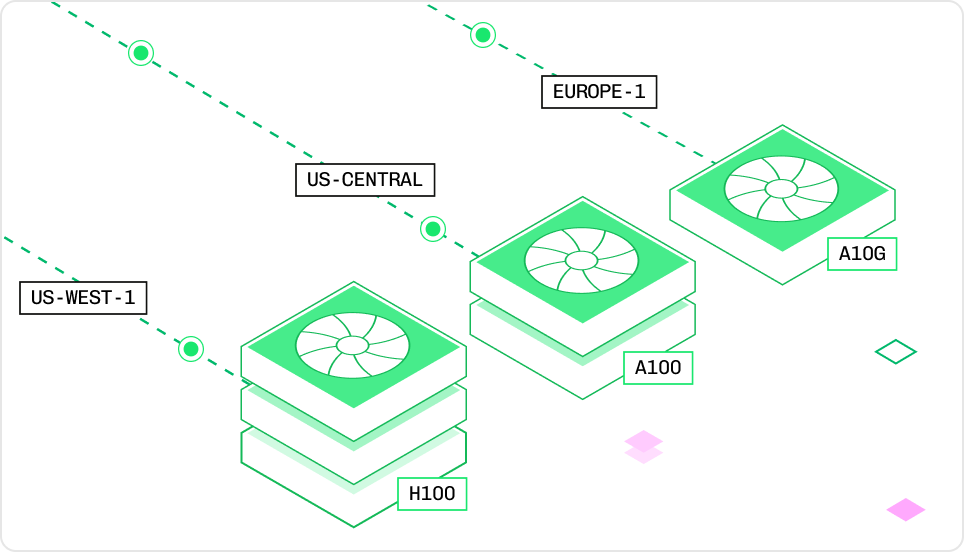
Every deployment runs on a specific [instance type](/deployment/resources) that defines its GPU, CPU, and memory allocation. Choosing the right instance balances inference speed against cost. You'll set the instance type in your `config.yaml` before deployment, or adjust it later through the Baseten UI. Smaller models run well on an L4 (24 GB VRAM), while large LLMs may need A100s or H100s with tensor parallelism across multiple GPUs.
## Resources
Every deployment runs on a specific [instance type](/deployment/resources) that defines its GPU, CPU, and memory allocation. Choosing the right instance balances inference speed against cost. You'll set the instance type in your `config.yaml` before deployment, or adjust it later through the Baseten UI. Smaller models run well on an L4 (24 GB VRAM), while large LLMs may need A100s or H100s with tensor parallelism across multiple GPUs.
 ## Autoscaling
You don't manage replicas manually. [Autoscaling](/deployment/autoscaling/overview) adjusts the number of running instances based on incoming traffic. You'll configure a minimum and maximum replica count, a concurrency target, and a scale-down delay. When traffic drops, replicas scale down (optionally to zero, eliminating all cost). When traffic spikes, new replicas spin up automatically. [Cold start optimization](/deployment/autoscaling/cold-starts) and network acceleration keep response times fast even when scaling from zero.
## Autoscaling
You don't manage replicas manually. [Autoscaling](/deployment/autoscaling/overview) adjusts the number of running instances based on incoming traffic. You'll configure a minimum and maximum replica count, a concurrency target, and a scale-down delay. When traffic drops, replicas scale down (optionally to zero, eliminating all cost). When traffic spikes, new replicas spin up automatically. [Cold start optimization](/deployment/autoscaling/cold-starts) and network acceleration keep response times fast even when scaling from zero.
 For the mechanics of how the autoscaler tracks in-flight requests and adjusts replicas, see [How Baseten works](/concepts/howbasetenworks#autoscaling). For engine-specific autoscaling settings (BEI and Engine-Builder-LLM), see [Autoscaling engines](/engines/performance-concepts/autoscaling-engines).
## Request lifecycle
When a request reaches your deployment, it passes through authentication, routing, and replica selection before your model code executes. Understanding this path helps you diagnose errors and configure timeouts. See [Request lifecycle](/deployment/autoscaling/request-lifecycle) for the full journey of a request, including queuing, load shedding, and HTTP status codes.
## CI/CD
When your model code lives in a Git repository, you can automate deployments with CI/CD. The [Truss Push GitHub Action](/deployment/ci-cd) deploys your model, validates it with a predict request, and optionally promotes it to production. You'll configure the trigger (such as pushes or pull requests to specific branches) in your GitHub Actions workflow file.
For the mechanics of how the autoscaler tracks in-flight requests and adjusts replicas, see [How Baseten works](/concepts/howbasetenworks#autoscaling). For engine-specific autoscaling settings (BEI and Engine-Builder-LLM), see [Autoscaling engines](/engines/performance-concepts/autoscaling-engines).
## Request lifecycle
When a request reaches your deployment, it passes through authentication, routing, and replica selection before your model code executes. Understanding this path helps you diagnose errors and configure timeouts. See [Request lifecycle](/deployment/autoscaling/request-lifecycle) for the full journey of a request, including queuing, load shedding, and HTTP status codes.
## CI/CD
When your model code lives in a Git repository, you can automate deployments with CI/CD. The [Truss Push GitHub Action](/deployment/ci-cd) deploys your model, validates it with a predict request, and optionally promotes it to production. You'll configure the trigger (such as pushes or pull requests to specific branches) in your GitHub Actions workflow file.